
Installing Apps
It is possible to install new apps that are required for work purposes on any MDM iPhone or iPad. To do so swipe down on the home screen to bring up spotlight search. Type in the words "app catalog" without the quotation marks and that will give you the app catalog.
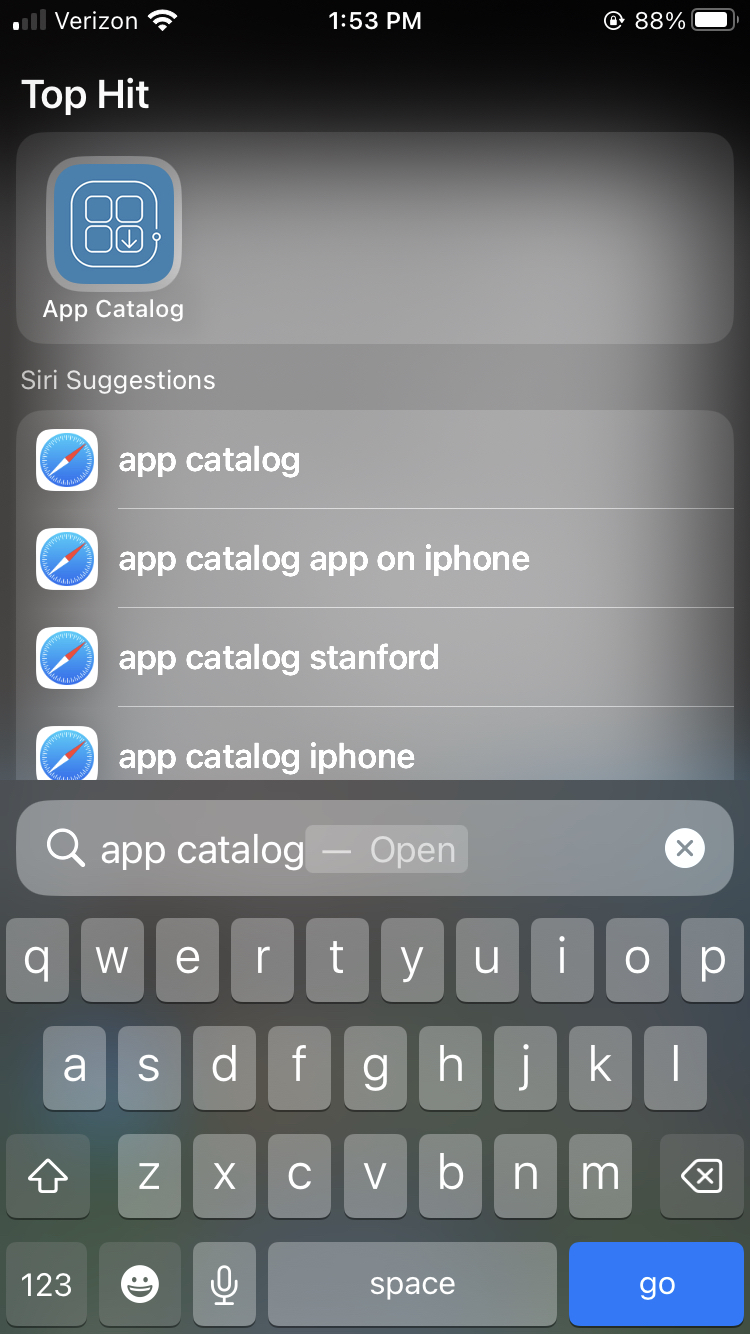
Tap on the app and the it will show you a list of apps that you have been granted access to that can be downloaded. Once you find the app you are looking for click on the blue "Get" button beside the app and a pop up will come up stating that the app will be installed shortly. Wait a few minutes and the app will install automatically on your iPhone or iPad. If the app does not show up after a few minutes restart the phone or connect to Wi-Fi to ensure the device has a proper network connection.
Note: If you do not see an app listed that you need, contact I.T. and we will add the app to the app catalog and remotely install it to your device
Updating Apps
The app catalog will also show whatever apps have updates at the top of the list. Some apps may require new updates in order to work properly or to access new features. To update the app simply open the app catalog and press the red update button beside the app that needs the update. Wait a few minutes for the update to install and it should begin working properly. If not restart the phone and make sure you are connected to Wi-Fi in order to ensure a proper network connection.
Comments
0 comments
Please sign in to leave a comment.